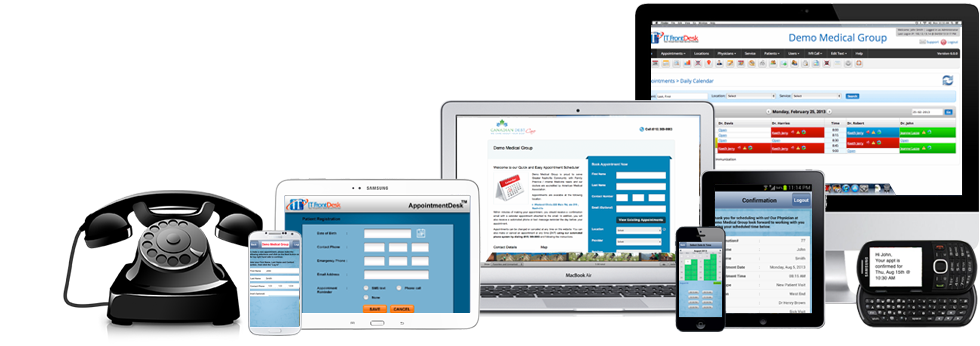
Automate your front desk needs

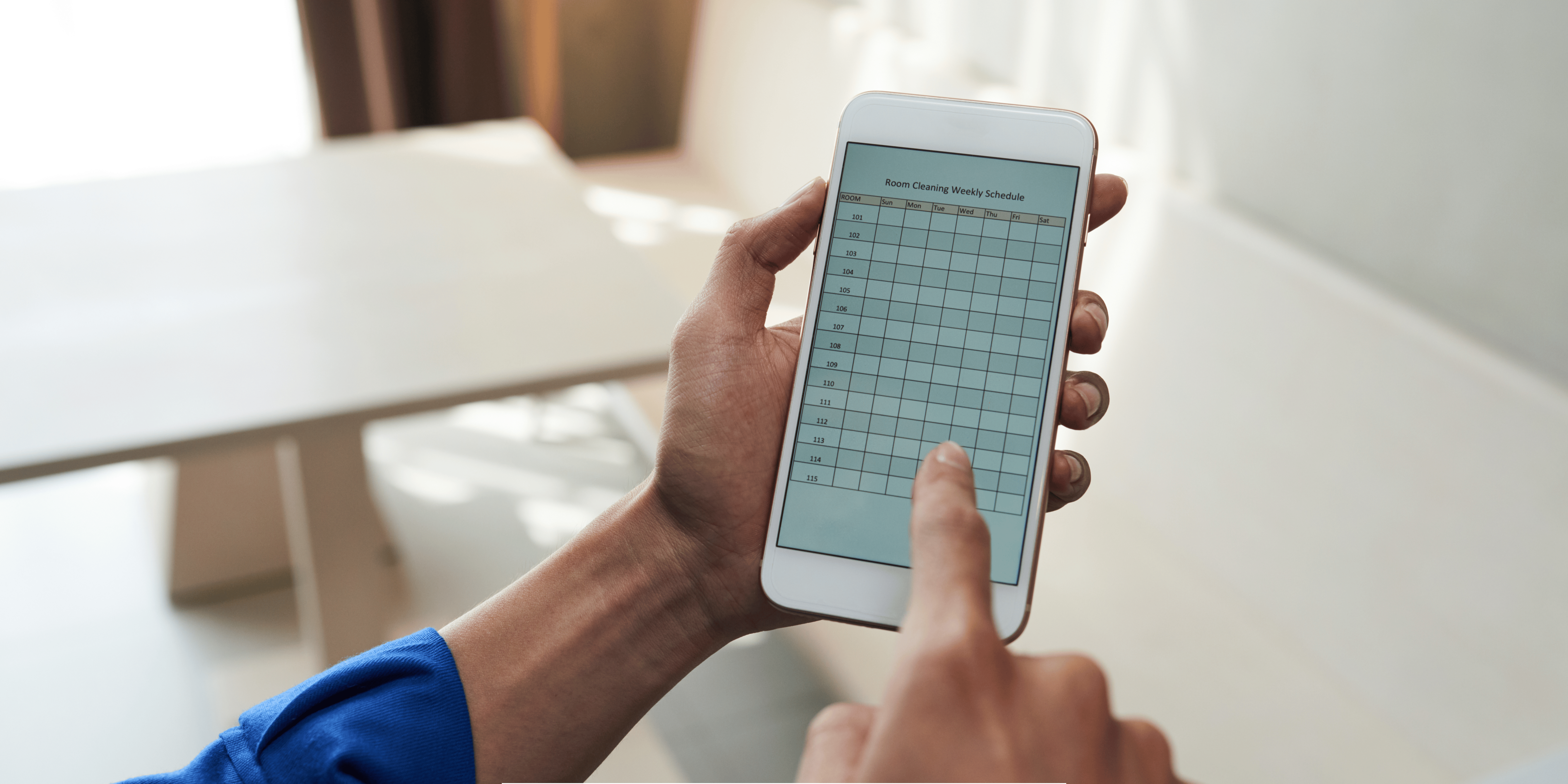
Setting up schedules and appointments can become very confusing. There can be hundreds of people who will want to set up a meeting or an appointment that it can be very difficult to keep track. Having this task done by you personally, or even your secretary can make things even more tedious to do. Plus, arranging your schedules and reservations manually can be prone to errors and conflicts, which can dissatisfy your potential clients and customers, and you can potentially lose thousands of dollars because of it. However, there is an online service that can provide you with great scheduling software that can streamline appointments and schedules, making your business more efficient and increase the satisfaction of your customers.

Web Based Scheduling Software and Other Features

For your scheduling needs, AppointmentDesk is the best software for you. This software has a number of features that will greatly improve the scheduling and appointment setting process of your business. One of the most notable qualities of this system is that it is fully automated, leaving very little room for conflicts, since human error is eliminated. This system is available 24 hours a day, so your clients can set appointments at any time of their convenience. This scheduling software can be accessed in two ways: first is thru the internet. Your clients can visit a website provided by the system, then set schedules from there. For the not so tech savvy clients, they can still set an appointment thru phone. All data regarding schedules is updated in real time, so your customers will instantly know if their intended time for an appointment is taken, allowing them to reschedule right away.

It Doesn’t Stop With Just Phone or Web Based Scheduling

There are many areas of your business that can be streamlined, not just in appointment and schedule setting. Along with the intuitive and reliable scheduling software, there are other software that can vastly improve your business. The other services include:

ReminderDesk is an add on to AppointmentDesk which reminds your clients of any appointment that they have set with you. Clients can be reminded thru SMS, phone calls, or emails making sure that the reminders will reach your client.

BroadcastDesk allows you to send messages, whether via SMS, email, or recorded voice messages, to hundreds or even thousands of clients all at once. Inform them of special offers, or of new products or services that you have available.

If you are organizing and event or offering training sessions, you can use ReservationDesk to make the reservation process a lot easier for your clients.

If your business involves medications and lab results, there are also software for you. LabResultsDesk informs your customers that their lab results are already available, which they can access via phone. MedicationReminder desk on the other hand, reminds your clients via phone that they have medications to take at a given time.

With the efficient and reliable scheduling software plus the other automated services that you can use, even just a small staff of workers will be able to serve your clients efficiently, saving you thousands of dollars. Your clients will also appreciate how easy it is to do business with you, and can help improve your sales and profits.

Extend your business hours of operation

Are you running a clinic or maybe a medical laboratory? If so, then I am sure you cater to a lot of clients every day, and it may reach hundreds at certain times. Are there instances where you cannot cater to all of them in a single day? All those clients that were not served can be lost transactions, but extending your staff’s business hours is impossible, or very costly. However, there is a way for you to improve your patient scheduling system, allowing your clients to make appointments and set schedules even after your clinic or laboratory has closed for the day.

Patient Scheduling thru the Internet or thru Phone

There are companies that provide software which allow your customers to set appointments for consultation at any time of the day. The scheduling software can set appointments thru the internet. A client simply needs to go to your website, look for the link for schedules and appointments, and just follow the simple and intuitive process to finalize the consultation. If your client has no internet access, an appointment can still be set thru phone. A client only needs to call a phone number that the service provides. A voice prompt will then guide your client thru the steps in order to make an appointment. Since this patient scheduling system is available 24 hours a day, 7 days a week, a client can set a schedule even in the wee hours of the morning. And since the system is automated and all schedules are updated in real time, your client will instantly know when you are available, allowing them to set schedules accordingly.

Not Just Limited to Patient Scheduling

There are other services and software that are offered which can complement the already excellent and useful scheduling software. These extra software can make availing of your services like medical consultation and medical laboratory testing very easy for your clients. Aside from patient scheduling, there are also other software that can sends out a phone reminder to your clients, as well as inform them of the availability of their lab results. Once an appointment has been made using the scheduling system, all the details of the appointment, including the time, date, and place are stored in the system’s database. Depending on your preferences, the system will remind your client of the appointment that has been set a few days prior. Input about the reminder is also asked from your client, ensuring that they have received the message. This lessens the likelihood that a client will not show up on the set date. Aside from patient scheduling or client reminders, the system can also inform clients of the availability of their lab results. After registering their contact information prior to undergoing a lab test, a client can be informed thru phone or email that their lab results are ready. They can then call the service number and retrieve their lab results without having to go back to the laboratory.

Your virtual front desk assistant

Has your business been rapidly growing recently? If so, then I am sure you are getting a lot of schedules and appointments these days. However, you may get so many of them at a given time, that you may find it quite difficult to manage your schedule in order to fit all of the tasks that you need to do. You can hire a secretary or personal assistant to do the task for you, but when there are so many appointments to organize, your assistant may not be enough. Also, your assistant may commit scheduling errors and conflicts which can potentially frustrate clients who you are supposed to meet at a certain time. However, you can improve the scheduling process and cater to multiple clients at a given time with an automated scheduling software. It’s just like having another super efficient assistant working for you!

How does the scheduler software work?

Being fully automated is what makes this software very efficient. If a client wishes to set an appointment, he or she can access the scheduler software using 2 methods; setting an appointment thru the internet, or doing so thru phone. These systems are online and are readily accessible at any time of the day. This allows clients to set appointments at a moment’s notice without having to wait to go to your offices in the next business day. If your business has international coverage, you can set the scheduling software to accept foreign languages for the process. Configure the online automated scheduling software to display foreign text or words for easy access for customers from abroad. This allows foreign clients to set schedules and appointments fast with little hassle. Setting an appointment can be quite difficult if there is a language barrier between you and a client.

Complement your scheduler with a reminders software

Even if an appointment has been finalized, there is still a chance that your client can forget the said appointment and not show up, which can be a waste of your time. The scheduling system can help minimize or even completely eradicate the problem. This can be done thru a reminder service that can complement the already efficient automated scheduling software. After setting up the appointment, the scheduling software then sends the details into the system’s database. If you avail of and use the reminders software, it will use all of the data about the appointment that was stored in order to remind your client of the appointment that was set. You can either make the reminder as a message that can be sent as an SMS or as an email. You can even take it a step further and send a pre recorded message instead. You can have a professional voice over record the message for you for optimum quality and clarity, or record it in several different languages in order to cater to your worldwide customer base.

Short on staff to help you with your front desk needs?

Short on staff to help you with your front desk needs?

Running a clinic can be very tough. With the changing climate, pollution and unhealthy practices that people face every day, more and more people are getting sick causing them to rush to hospitals and clinics by the numbers. It’s good if your staff can cope with the number of patients that are coming in. However, if you are short on staff, it can be very difficult to handle all of the patients that are coming in  in a single day. You can add more staff if you want, but that will also cost a lot of money. Some staff may also be unreliable when there are so many clients to attend to all at once. Instead of adding more staff, you can introduce and appointment scheduling software to your system, allowing your current staff to work more efficiently and improve their performance.

How does the patient scheduling software improve your existing appointment system?

The scheduling software has a number of features that will streamline the scheduling process and take the burden off of your staff. The most notable feature is that the scheduling system is completely automated. The system can be accessed via the internet, or through phone. If a client wishes to set an appointment, he or she can access your website and access the appointment scheduling software embedded in it. From there, your client can see whether the intended time for a an appointment is available since all appointments are stored in the system database, allowing them to adjust their schedules depending on your availability. If internet access is not available, the client simply needs to call the scheduling system’s phone hotline and will be guided through the process of setting an appointment. Both internet and phone methods can be accessed at any time of the day, eliminating the need for your front desk personnel to manually take calls and manage your schedule which allows them to work on more important tasks in the clinic.

Give adequate patient support with a patient results message delivery

Aside from the appointment scheduling software, there is also an available service that informs your patients of the results of a lab test or consultation. With this service, your patient can retrieve the results of a test without having to go back to your clinic. This lessens the number of people going to the clinic, with only the patients that need consultation being the ones present in your clinic. As soon as a consultation or a lab test is finished, you can record all your patient’s necessary information and store it in the database. Once the results are in, you can record a voice message stating the findings on your patient. Once that has been uploaded, the system will immediately inform your patient thru SMS or email that the results are now available. The patient now only has to follow instructions, after which the voice message containing the results will be played back.

Extend your business hours of operation

Want to get your businesses going 24/7 with less  time and effort? This is made possible through IT Frontdesk’s exceptional automated services. Patient scheduling is absolutely made easy.

Phone Appointment Scheduling

Clients need not visit health care facilities personally just to set up appointments or even call within opening hours. Phone appointment scheduling can now be done anytime of the day with IT Frontdesk. It’s fully automated phone-based IVR allow you to manage your appointments with a simple dial on your phone.

  • With the assistance of our AppointmentDesk™ you can easily schedule appointments over the phone or online.
  • Clients won’t need to worry calling in on business hours because this service can accommodate their needs 24/7.
  • They can set-up appointments through the automated phone-based IVR or web-based online self-serve appointment scheduling.
  • Through the web-based admin portal, patients and physicians can schedule and view the status of their appointments in real time.
  • While clients can set appointments or add physicians as they wish, the staff on the other hand can also organize their working hours, view patient reports, and many more.
  • Our multi-line digital phone lines provide a very good voice quality and reception.
  • This can also take multiple calls at time to make sure that all clients are accommodated and quality service is provided.
  • We also offer a 24/7 customer support for client’s technical needs.
  • With the help of the Built-in speech recognition, users will have the ability to either speak naturally or press keys on their telephone keypad when making a selection.

Phone Reminder

  • With the help of ReminderDesk™, unnecessary appointment cancellations can be prevented and as well as no shows.
  • All reports and appointments can now be logged in one web-based portal for easier and faster access.
  • It goes in sync with the patient scheduling of AppointmentDesk™ and automatically sends a reminder days prior to an upcoming appointment, depending on the configuration and customization.
  • The reminder notifications can be sent out through an outbound phone call, SMS text message with call back feature, voicemail messages or email.
  • The web-based access can be viewed from any computer or wireless device as long as there is an internet connection.
  • One unique feauture is that, if no one picks up the message, ReminderDesk™ will automatically dial up to three alternate numbers including home, cell and work phone numbers according to the client’s preference.
  • This feauture is user-friendly and provides a very good graphical interface.

Lab Message Service

  • One of the best things that this automated service offers is that it can directly send out lab test results to clients as soon as it is available, which will lessen spike in call volume.
  • The message is recorded in your own voice using any phone/computer with a microphone for recording.
  • This has an outbound “Message Waiting” Notification Calls to let clients know as soon as lab results are ready, in order to limit incoming calls especially during business hours.
  • Messages that are sent out can be accessed by the clients 24 hours a day.
  • This also automatically keeps log time-stamped entries as soon as a patient is notified about the results, or when they have already accessed the message you’ve sent.
  • Our web based portal save actual time stamp and provide patient activity reports in detail.

All these patient scheduling features are offered with a very low monthly fee. These will also provide your clients with the quality service that they deserve. With the exceptional services that ITFrontdesk provides, you will surely get a fast return of investment in no time.

Want to deliver thousands of messages to your customers via phone call, text and email?

Want to deliver thousands of messages to your customers via phone call, text and email?

Need to inform your customers of new products or services that you offer? Or maybe you are currently running a campaign, and you need thousands or even millions of people to hear your thoughts, all at once? Sure you can send messages or call your target demographic manually, but when you are talking about a huge number of people, this is just a very impractical, if not futile task. Thankfully, reaching many people all at once is not an impossible endeavor if you use the Message Broadcast service. This service sends your message to common and popular media where people can easily see or hear.

Send Messages to Phones Thru Voice and Text Broadcast

A majority of people all over the world have mobile phones which they bring on a daily basis. This makes phones a great medium where your message can be noticed. With the use of this service, all you need to do is simply record a voice message, or compose your message in text. Next, you will need to upload your message into the service’s website. After the message has been successfully uploaded, the website will then start to spread this via calls or SMS. This system uses a network of auto dialers and SMS forwarders, making this Message Broadcast service a fast way to reach thousands of individuals’ phones in a short period of time.

Spread the Word Through an Email Broadcast

If you want to target a more tech savvy demographic, why not try an email broadcast instead? Emails are free and easy to use, so a lot of people have at least one email address registered, making emails a great venue to help spread your message. Broadcasting through email is similar to the process in broadcasting through phones. First you need to compose your intended message and upload it to the service’s website. After completion, the website will automatically send emails through a network of forwarders to thousands or even millions of email addresses instantly. You can also use the Message Broadcast service’s website to track how many people your message has reached, allowing you to gauge their responses and reactions. Sending your message through email is also a more discreet method than thru calls or SMSs, and will not annoy your customers.

Using the television, radio or print as the medium of spreading a message may be effective, but they also cost you a lot. Not only is it cheaper to spread the word through SMS, calls and emails, but your message is delivered in a personal manner directly to the individual, making him or her give full attention to what you are trying to say or promote. This makes your message more effective.

Want to make sure your loved ones never miss their medications?

It is very important that your loved ones should not miss their medications. There are many health conditions that, when medications are missed, can grow worse and cause harm to an individual. A good example would be medications that are used as maintenance for blood pressure. Missing these medications can make the blood pressure spike, and can cause heart attacks or stroke. In some instances, missing medications can make the bacteria or microorganisms that cause the disease to be more resistant to treatment, as is the case with antibiotics and bacterial infections. Reminding an individual of their medications by telling them, or by writing a note or post-it may not be effective. People tend to forget these things, plus, these reminders do not call an individual’s attention. Using computer software and an individual’s phone as medication reminders however, is a much more effective method.

How does the Prescription Medication Reminder Work?

The system incorporates both the internet and mobile phone technology to make an effective reminder service. A treatment provider can input an individual’s treatment regimen into the system’s database. This data includes which medications the patient needs to take, as well as the specific times these medications need to be taken. The health care provider can also input the number of reminder attempts the system will make. When the time comes for the patient to take the medication, the system will send medication reminders to the client through either sending an SMS or by a series of missed calls. If the patient still has not confirmed that the medication has already been taken after a certain number of attempts, the care provider or a family relative will be immediately notified.

The Benefits of Using a Prescription Medication Reminder

The use of this software ensures that no one forgets that certain medications need to be taken at a certain time. Both the patient and the treatment provider can get busy at times, and the possibility of forgetting about the medication is always present. The use of this this software removes human error from the equation, and always reminds the patient and informs the provider depending on the parameters that were set in the administrator portal. And not only is the time to take medications reinforced, the patient is also reminded on which medication to take, minimizing dangerous medicine errors.

Missing medications can be very dangerous, especially if the health condition is critical. With the use of this system of medication reminders, a patient is always aware of what medication to take, when to take the medication, and how much medication needs to be ingested. This will result in a very efficient and effective treatment which is necessary for the treatment of the patient, and the promotion of his or her health.

Eliminate Phone Tagging using Lab Results Message Delivery

Lab results are crucial data that needs to be accurately relayed to a patient right away. It may take time for some lab tests to finish though, so patients may have to wait for hours or even days for the results to arrive. What usually happens is that the patient will continue to inquire about the results of the test, which can hinder your work. Also, due to the sheer number of patients to inform, you might miss out on letting some patients know of the results of their lab tests, which can lead to client dissatisfaction and frustration. However, the process of reporting lab results to your patients can be streamlined if you avail of this lab results message delivery system.

How Does the Lab Message Service Work?

With this system, you do not need to inform each individual client of their lab results. After completing a lab test, you will need to input your patient’s data into the service’s database. After which, you will also need to provide your patient with an identification card with instructions on how to retrieve their lab results. Once the results are in, you will need to dictate and record the lab results as a voice message, which will then be submitted to the database as well. This audio recording can be done using any phone or computer, which makes the process convenient.

After the system receives the voice message, the lab results message delivery system will activate, and will send an automated notification to the patient’s phone. The patient will then have to follow the steps on how to claim the lab results as mentioned in the identification card. As soon as the steps are completed, the recorded message containing the lab results will be played over the phone.

What are the Advantages of this Lab Message Service?

There are many advantages that can be had from implementing this service into your laboratory’s system. A primary advantage is that you do not need to manually inform your patients that the lab results are in. All you need to do is to input the results into the database and the system does the informing part for you, this gives you more time to do other important tasks instead. The lab results message delivery is also fully automated, which ensures that the results will surely reach the patient; you will never miss informing anyone. The system also keeps track of how many times the patient has accessed his or her lab results. This prevents a patient from claiming that he or she has not received any lab result from your laboratory. Also, the patient can access the system anywhere as long as he or she has a phone, giving the patient complete privacy if desired.

Automated Reservation Services

Managing an event can get very difficult fast. Making sure that everything related to the event is in order takes a lot of effort, time and a lot of patience as well. Manually managing the event reservation list will surely make your task even harder. Luckily, there is an automated ticket reservation service that you can use to streamline the process and make it easier for you and your potential guests.

Interested in the Service? How Does Ticket Reservation Work?

This service is flexible in terms of how a reservation can be made. There are two ways for an interested guest to reserve a slot in the event. One would be through an online booking, where he or she can make a reservation through visiting a website, and see which seats are available, depending on the type of event. The other way is through phone. A client will call a certain hotline number for the event reservation, after which he or she will be guided on how to complete the steps required for the spot to be confirmed. What’s great about this service is that they can be accessed 24 hours a day, so a reservation can be made whenever the guest would like to have one.

As event administrator, you are given access to an online portal where you can setup events and specify the time, date, as well as the number of seats available. You can add just about any event or occasion that you would organize: a party, a seminar, and many more!

Other Perks of the Event Reservation Service

Not only is the process of reserving a ticket made easier for guests, event organizers and administrators get useful perks from the service as well. They can easily set seat limitations; offer only limited numbers of certain seats as well as display specific prices for each tier of tickets. Also, both administrator and guests get real time feedback on seat status. This instantly tells the administrator how many ticket reservations have been made, as well as show guests which seats have already been taken, allowing them to choose other seats in advance, minimizing the occurrence of conflicts and preventing confusion.

In contrast, using traditional pen and paper methods of event reservation can be a very tedious task both for you and your guests. Not only do they need to come to your offices in order to make a reservation, this system is also prone to errors as well. You might assign seats that were already taken, or maybe miss out on a few guests that have already signed up. The online and phone reservation method is a much more efficient and practical way of managing the attendance of your event.

Your virtual front desk assistant

Need someone to assist your clients with their scheduling needs but can’t afford to hire someone to work for you 24/7? It is now possible with IT Frontdesk. We offer top-quality automated scheduling software that can provide assistance just like a real live receptionist over the phone. This is perfect for facilities that need to save time, money and manpower. Specifically designed for short-staffed health care facilities that would like to provide their clients the best service 24 hours a day and 7 days a week at a very low cost.

Human-like scheduler software

  • Our automated scheduling software has a high-tech telephony IVR system with a virtually human recorded superior voice quality for clients to also have the feel that they are speaking with a live person.
  • If in case they would wish to speak with a receptionist, the 24/7 customer support is also available for them.
  • The automated service will lessen clients’ frustrations because of the easy to follow selections and no hold times.
  • The Text-to-Speech (TTS) or pre-recorded audio by your own voice or by professional voice talent can be used depending on the configuration.
  • The IVR script is also customizable so you will have the option to choose how you want the audio message to be played or sent.
  • The incoming calls can be routed to an appropriate support personal based on the client’s priority, needs and preferences.
  • Very useful as well for nurses, physicians, and other health care personnels because they will have the control of when and how they can be reached by their clients, and vice versa.

Multi-lingual reminder software

  • Our Reminder software has a multi-lingual feature that is capable of sendng out automated reminder calls to patients in their preferred language, using personalized human pre-recorded voice message.
  • The virtually automated receptionist can take calls from clients in their natural language dialogue depending on their configuration.
  • Together with the Built-in speech recognition, users will have the ability to either speak naturally or press keys on their telephone keypad when making a selection.
  • Their pesonal messages can also be forwarded to their selected facility’s contact number as they wish.
  • The appointments can be checked anytime of the day since all information are stored in the web-based admin portal.
  • You can create a customized SMS message or email template depending on the preferred language for routinary notifications.
  • You can also configure the times when you want to send the alerts and reminders.
  • The automated scheduling software can take inputs from clients whether they would like to confirm or cancel a schedule appointment.
  • ReminderDesk’s web-based Admin Interface has user friendly graphical for client’s easy use.

Who would not want to provide their clients with only the best quality services possible? Please contact us for more information on these products.